How To Enable/Disable Discount Flash On Product Listings & Carousels??
How To Enable/Disable Discount Flash On Product Listings & Carousels??
To switch the 'Show Discount Flash' on/off, from the store dashboard go to:
> Store Settings > Products > Show/Hide
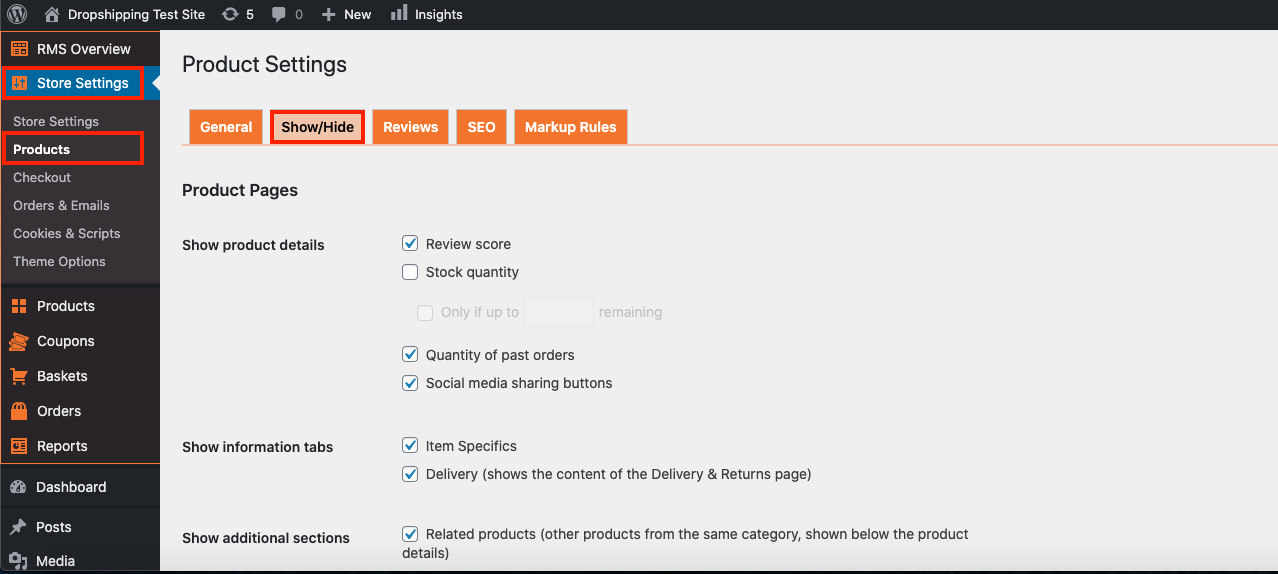
From within this page, scroll down to the heading 'Product Listings and Carousels':
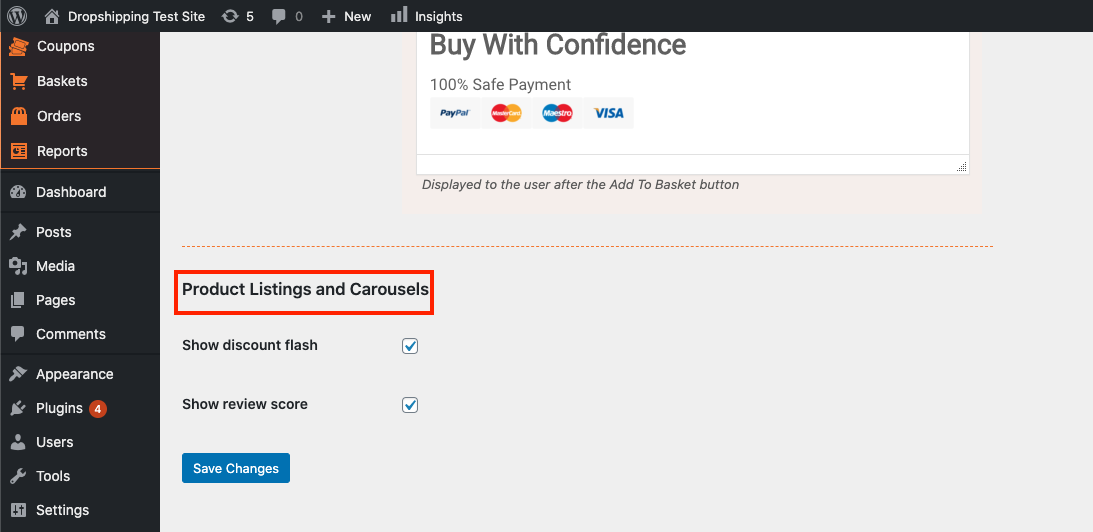
The top tick box labelled 'Show discount flash' will either enable or disable this feature.
(*Don't forget to click 'Save Changes' after making alterations*)
Related Articles
How To Enable/Disable Review Score On Product Listings & Carousels?
How To Enable/Disable Review Score On Product Listings & Carousels? To switch the 'Show review score' on/off, from the store dashboard go to: > Store Settings > Products > Show/Hide From within this page, scroll down to the heading 'Product Listings ...How To Enable/Disable Product Reviews On Product Pages?
How To Enable/Disable Product Reviews On Product Pages? To switch 'Product Reviews' on/off on product pages, from the store dashboard go to: > Store Settings > Products > Reviews From within this page, the top tick-box labelled 'Show Reviews' will ...How To Enable/Disable Review Score On Product Pages?
How To Enable/Disable Review Score On Product Pages? To switch the 'Review score' feature on/off, from the store dashboard go to: > Store Settings > Products > Show/Hide From within this page, the top tick box labelled, 'Review score' will either ...How To Enable/Disable Stock Quantity?
How To Enable/Disable Stock Quantity? To switch the 'Stock Quantity' feature on/off, from the store dashboard go to: > Store Settings > Products > Show/Hide From within this page, the top tick box labelled, 'Stock Quantity' will either enable or ...Product Options
Product Options General In the General section you can check and customize general information about the product. Since the plugin imports products from AliExpress in US Dollar ($), it is set as the default currency. This currency may be changed to ...